INCEpTALYTICS#

An easy-to-use API for analyzing INCEpTION annotation projects.
We parse an XMI export of an Inception annotation project and provide easy access to (most) of the underlying data including annotators, source files, etc.
We provide recipes for computing project statistics, confusion matrices, inter-annotator-agreement, or plotting progress reports.
Installation#
INCEpTALYTICS is on PyPi. To install it run:
pip install inceptalytics
Basic Usage#
from inceptalytics import Project

file = "data/Example_Project_POS.zip"

# load project
project = Project.from_zipped_xmi(file)

# print all annotator names
for annotator in project.annotators:
    print(annotator)

# create a view
pos_type = "de.tudarmstadt.ukp.dkpro.core.api.lexmorph.type.pos.POS"

view = project.select(
        annotation=project.feature_path(pos_type, "coarseValue"),
        annotators=project.annotators,
        source_files=project.source_file_names
)

print('# pos annotations in view:', len(view.annotations))

print('IAA Krippendorff: ', view.iaa())
Dashboard#
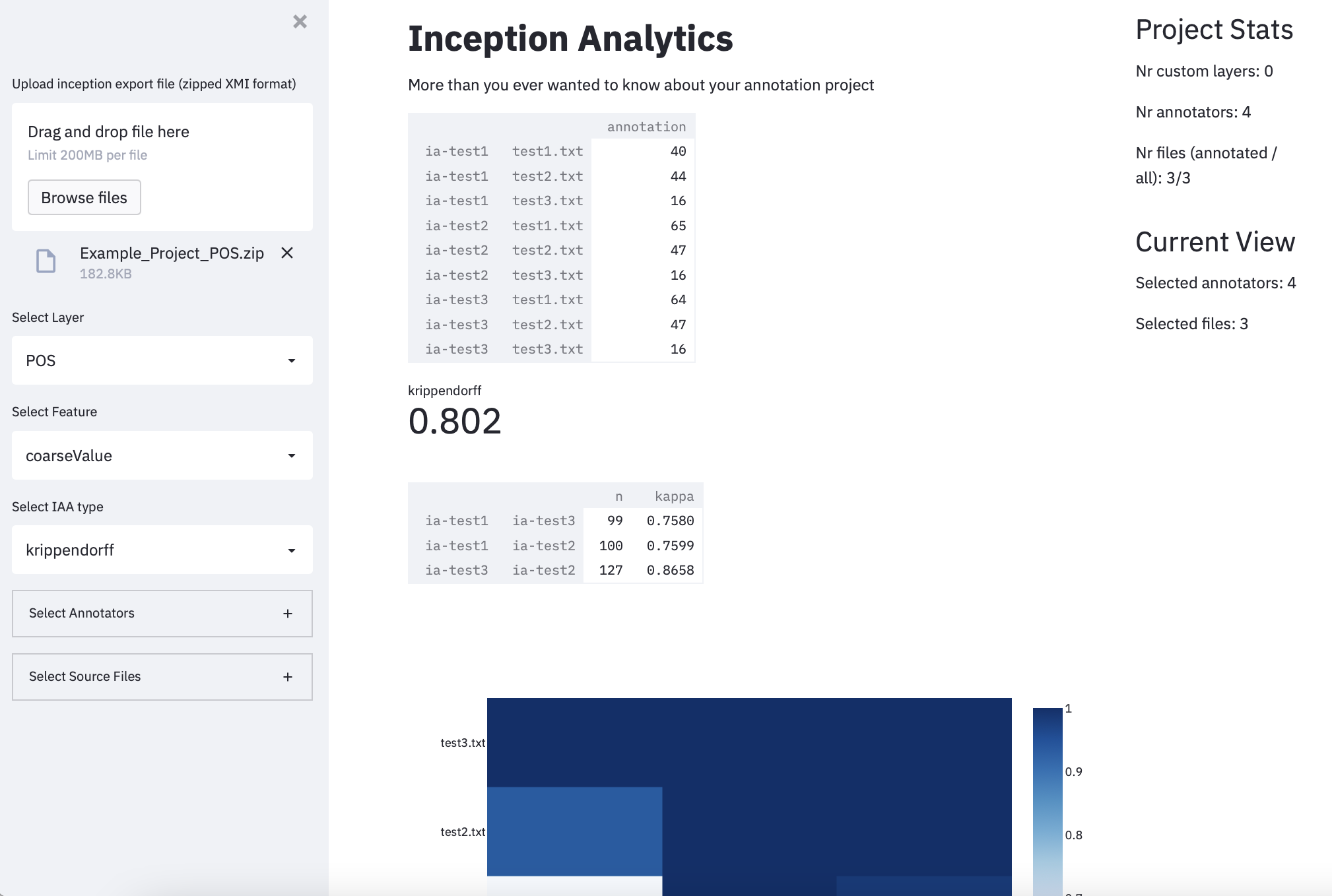
We also provide a basic Streamlit web application as a starting point for a dashboard that fits your needs.
To run the dashboard, you will have to install some additional dependencies.
pip install -r examples/streamlit_requirements.txt
Afterwards, you can run the dashboard.
streamlit run examples/dashboard.py
The application should be available in your browser under http://localhost:8501. The URL is also printed on the shell.
Changelog#
Version 0.1.0#
Project is now on PyPi.
Projects can now be loaded using the INCEpTION’s Remote API using
Project.from_remote.Removed plotting functionality from INCEpTALYTICS and moved it to the dashboard under example.
Version 0.1.1#
Added sanity checks and input normalisation to
Project.from_remote.Updated
Project.from_remoteto be compatible with the latest version of pycaprio.